

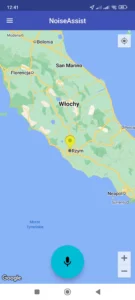
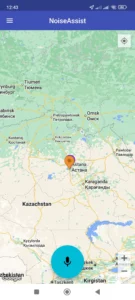
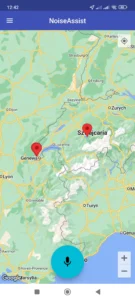
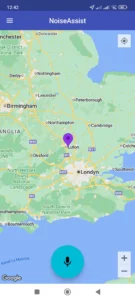
What do the icons on the map of completed measurements mean?
Yellow indicates a recorded average sound level below 50 dB.
Orange indicates a recorded average sound level above 50 dB and below 60 dB.
Red indicates a recorded average sound level above 60 dB and below 70 dB.
Purple indicates a recorded average sound level above 70 dB.
Can I ask another user to perform the measurement?
Yes, you can.
Where can I ask another user to take a measurement?
Anywhere in the world where another user may be located.
How do I request a measurement from another user?
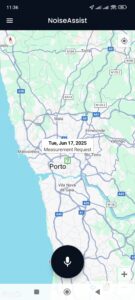
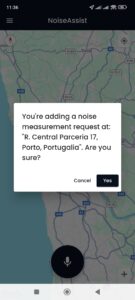
- You should hold your finger on the map in the place where you want the measurement to be performed until the information appears on the screen
- After acceptance, an icon (green with a question mark) will be visible on the map, signaling a request to perform a measurement. This icon is visible to all NoiseAssist users.
How will I be informed that another user has taken a measurement at the location I marked?
Through the information Dialog box (pop up) that will appear in your NoiseAssist application.